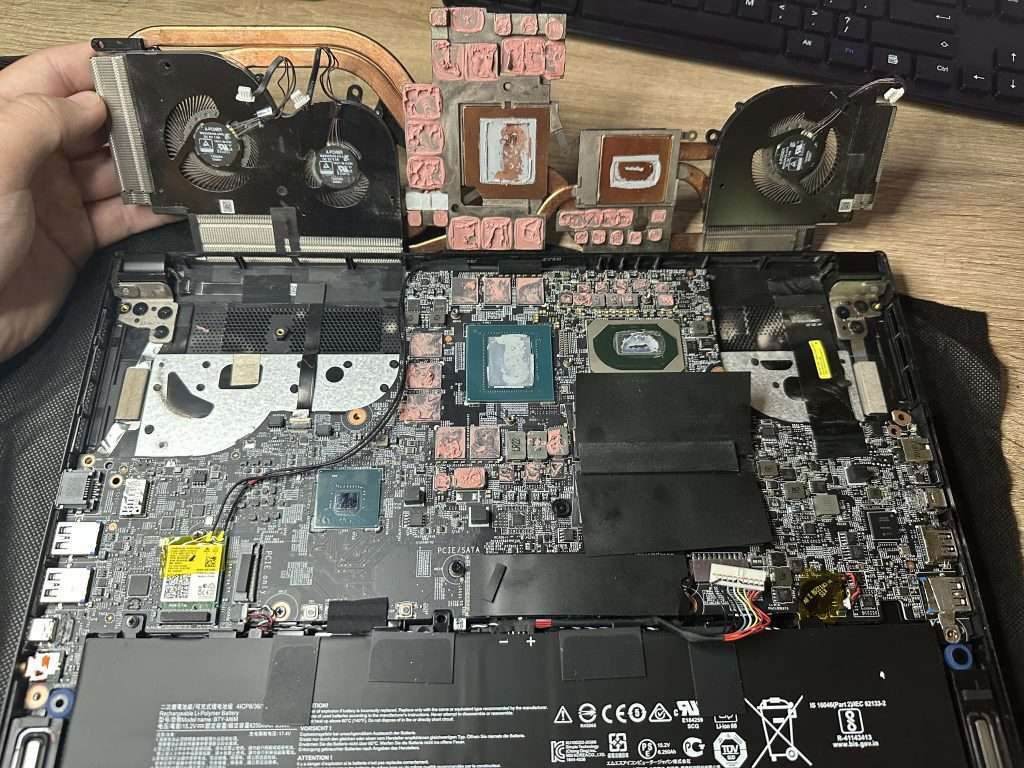
Overheating is a common issue with laptops, primarily caused by dust, hair, and other debris clogging the internal ventilation. This can lead to hardware failure, slow performance, and other problems. Regular cleaning of your laptop’s internal components is essential to maintaining its longevity and performance.
Why Do Laptops Overheat?
Laptops have small ventilation systems that can easily get clogged with dust, hair (both human and animal), and other debris. When the ventilation is obstructed, the laptop’s cooling system cannot function properly, leading to overheating. Overheating can cause the following issues:
- Hardware Failure: Excessive heat can damage vital components like the CPU and GPU, leading to costly repairs or replacements.
- Slow Performance: When a laptop overheats, it often throttles its performance to reduce the temperature, resulting in slower speeds and lag.
- System Crashes: Overheating can cause unexpected shutdowns and crashes, risking data loss and work interruptions.
The Cleaning Process
At My Total Tech Support, we specialize in thoroughly cleaning laptops to prevent overheating. Here’s what our cleaning process involves:
- Disassembly: We carefully open your laptop to access internal components.
- Dust and Debris Removal: Using specialized tools, we remove dust, hair, and other debris from the ventilation system and internal components.
- Reapplying Thermal Compound: We clean the old thermal compound from the CPU and GPU and apply fresh, high-quality thermal paste to ensure optimal heat transfer.
- Reassembly and Testing: After cleaning and reapplying thermal compound, we reassemble the laptop and conduct thorough testing to ensure everything is functioning correctly.
Before and After: The Impact of a Clean Laptop
Our cleaning services can significantly improve your laptop’s performance and lifespan. Here are some benefits of keeping your laptop clean:
- Improved Cooling Efficiency: Clean ventilation and fresh thermal compound allow your laptop’s cooling system to work effectively, preventing overheating.
- Enhanced Performance: With proper cooling, your laptop can run at optimal speeds without throttling due to heat.
- Extended Lifespan: Regular cleaning prevents hardware damage caused by overheating, prolonging the life of your laptop.
Why Choose My Total Tech Support?
At My Total Tech Support, we provide comprehensive laptop cleaning services to ensure your device remains in top condition. Here’s why you should choose us:
- Expert Technicians: Our team is skilled in handling various laptop models and cleaning them meticulously.
- Quality Service: We use high-quality tools and thermal compounds to provide the best care for your laptop.
- Customer Satisfaction: We prioritize your satisfaction and ensure your laptop runs smoothly after our service.
Regularly cleaning your laptop’s internal components is crucial for maintaining its performance and preventing overheating-related issues. Contact My Total Tech Support today to schedule a cleaning service and keep your laptop in optimal condition.
Contact us today to ensure your laptop remains in top working condition.